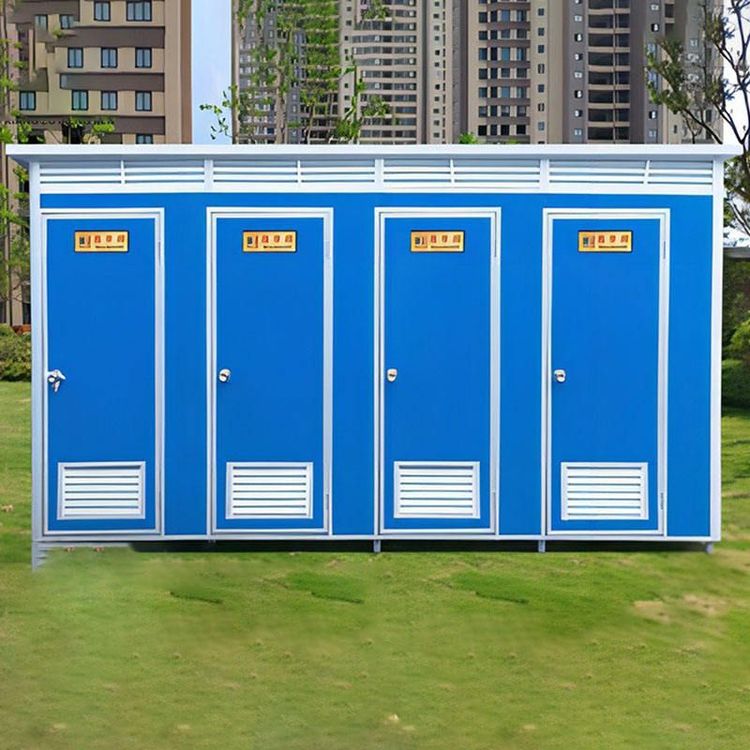
No Signal in Mobile Toilets
The lack of signal in mobile toilets is primarily related to factors such as location, interference, frequency band characteristics, equipment, and environment. It can be resolved by optimizing equipment, adjusting location, or upgrading network solutions.

Reasons for Weak Signal
Location Disadvantage
Mobile toilets are often located in corners or deep within buildings, far from routers. Signals need to penetrate multiple walls (especially load-bearing walls), and the ability of wireless signals to penetrate walls is limited, resulting in significant signal attenuation when reaching the toilet.Pipe and Wire Interference
The dense water pipes and wires in toilets can interfere with the propagation of wireless signals. Metal pipes may reflect or absorb signals, and the electromagnetic fields generated by wires can also interfere with signals, further weakening network quality.Frequency Band Limitations
- WiFi Signals: The 5G frequency band offers fast speeds but weak penetration, performing poorly in enclosed spaces like toilets; the 2.4G frequency band has strong penetration but inherently weak signals and is susceptible to interference, resulting in similarly unsatisfactory coverage.
- Mobile Networks: The penetration ability of 5G signals is weaker than that of 4G, and 4G networks are generally more stable in enclosed indoor environments.
Insufficient Router Performance
If the router is of poor quality or has unstable signals, it may not effectively cover edge areas like toilets, leading to intermittent or lost signals.Environmental Factors
Metal objects in toilets (such as faucets and towel racks) and humid air can absorb or reflect signals; after closing the door, signals have difficulty entering through diffraction, and large water bodies like fish tanks can also weaken signal strength.Insufficient Outdoor Base Station Coverage
Operators' macro base stations primarily cover outdoor areas, and signals have already attenuated when penetrating indoors, especially for high-frequency 5G bands (such as 3.5GHz), which have weaker penetration. The coverage radius in urban areas may be only 100-500 meters.
Solutions
Replace with a High-Performance Router
Choose a router that supports dual bands (2.4G+5G) and has stable signals. Prioritize products with built-in high-gain antennas or support for Mesh networking to expand coverage.Optimize Router Location
Place the router in a central, open, and elevated location in the house (such as on a living room table), away from metal objects, fish tanks, and microwaves; adjust the direction of external antennas (one vertical, one horizontal) to enhance signal coverage.Use Signal Enhancement Devices
Extend the network using WiFi signal boosters, powerline adapters, or wireless network cards, especially suitable for multi-story or large-area houses.Adjust Mobile Network Settings
Prioritize using 4G networks in enclosed spaces like toilets and turn off the automatic switching function to 5G to improve connection stability.Upgrade to a Whole-House Fiber Network
Adopt the FTTR (Fiber to The Room) whole-house fiber solution, which directly connects each room with fiber optics, enabling seamless roaming throughout the house and completely resolving signal dead zones.
You may also like

House Design Buying Guide: Options & Tips
Read More
Portable Toilet Eco-Friendly Size: Sizes & Dimensions - A Complete Guide
Read More
Everything You Need to Know About Portable Toilet Furnishing
Read More