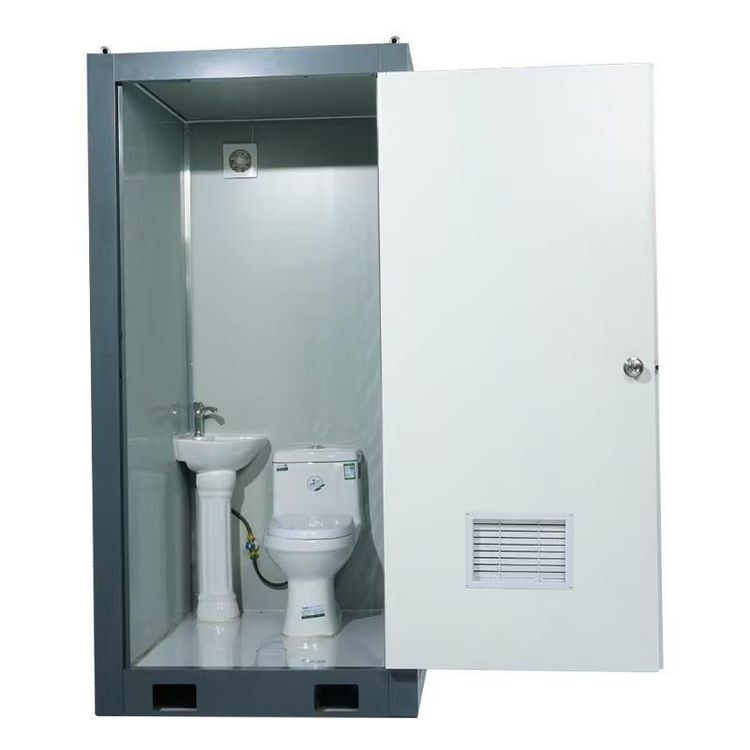
Mobile Toilet Modeling
Mobile toilet modeling requires combining specific drawing information with the characteristics of modeling software to complete structural design and detail optimization step by step. The following are the key points in the modeling process:

1. Clarify Modeling Objectives and Drawing Selection
Select the appropriate drawing version based on the application scenario. For double-unit mobile toilets in cabin or construction scenarios, prioritize referring to the 19.97MB SolidWorks 2018 version drawing (including sldasm assembly and sldprt part files), whose metal steel structure characteristics are suitable for high-precision engineering requirements. For models with greater versatility, choose the 23.14MB SolidWorks 2016 version STEP format drawing, which provides isometric, front, left, and perspective views for multi-angle verification of structural rationality. For outdoor scenario designs, refer to models with front, perspective (presumed to be the 'tree special view'), line, and three-view drawings, focusing on environmental adaptability design details.
2. Modeling Software and Format Adaptation
SolidWorks 2018 version drawings need to be opened in the corresponding software environment. Utilize its assembly function to manage the hierarchical relationships of the double-toilet metal frames, combine components such as walls and door frames using the 'Insert Components' command, and constrain the motion degrees of freedom of each component using the 'Mate' tool. STEP format drawings are neutral files that are compatible with multiple software such as SolidWorks, UG, and CATIA. However, note that feature loss may occur during version conversion, and it is recommended to use SolidWorks 2016 or higher versions to open them. Line and three-view drawings need to restore two-dimensional outlines using the 'Sketch' tool and then construct three-dimensional solids using feature commands such as 'Extrude' and 'Revolve'.
3. Structural Design and Detail Optimization
For metal steel structure modeling, focus on welding nodes and connection methods: generate square or round tube cross-sections using the 'Sweep' command, handle irregularly bent structures using the 'Loft' command, and quickly replicate symmetrical components using the 'Mirror' and 'Pattern' tools. Toilet partitions can simulate sheet metal structures using the 'Thin Feature' and verify processing feasibility using the 'Fold' and 'Unfold' commands. Hardware such as door hinges and locks need to be modeled separately and then assembled, simulating opening and closing actions using 'Hinge' or 'Gear' relationships in the 'Mate' tool. Outdoor models need to be supplemented with environmental adaptation structures such as rainproof canopies and ventilation openings, constructing streamlined appearances using the 'Surface Modeling' tool.
4. Verification and Output
After completing the modeling, perform interference checks: use the 'Interference Check' command in the 'Evaluate' toolbar to identify component collision issues, focusing on checking the gaps between door frames and walls, pipes and structural members. Calculate the overall weight and center of gravity position using the 'Mass Properties' command to ensure the transportation stability of the mobile toilet. The final model can be exported in universal formats such as STEP and IGES for downstream use or directly generate engineering drawings (including front, top, side, and sectional views) for construction guidance.