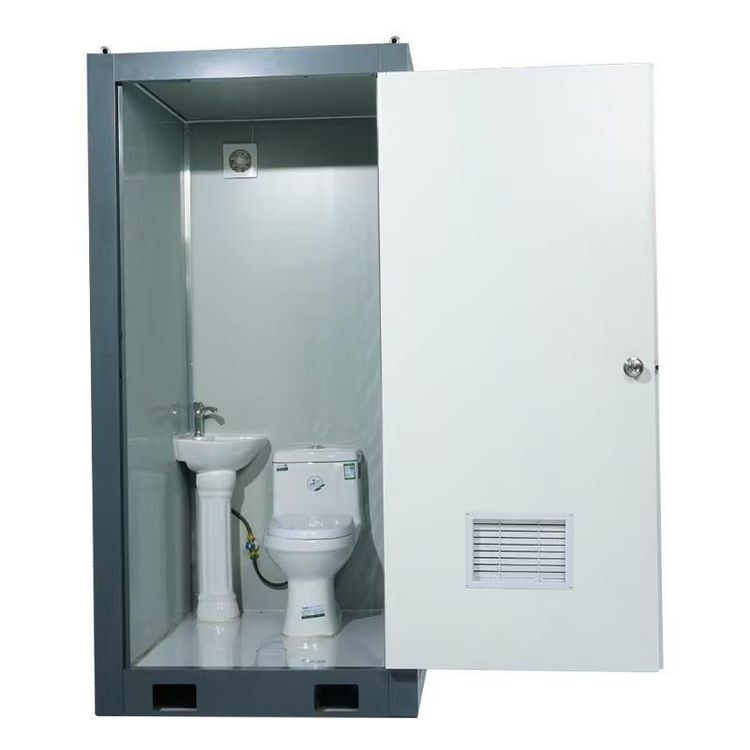
How to Close a Temporary Mobile Toilet
The method of closing a temporary mobile toilet varies depending on its design type, with common operations including gently pushing to automatically lock, manually confirming the lock is in place, and using a deadbolt mechanism. Specific instructions should be followed based on the device's markings or user manual.

1. Gently Push the Door to Trigger Automatic Locking
Some mobile toilets employ automatic sensing or mechanical linkage designs. When leaving, users only need to gently push the door to the closed position, and the lock tongue or electromagnetic device inside the door frame will automatically pop out to complete the locking. This design is commonly found in standalone mobile toilets in public places, offering easy operation and reducing instances of unintentional unlocked doors due to human oversight. When using, pay attention to the force applied when pushing the door to avoid damaging the lock mechanism.
2. Manually Confirm Locking is in Place
Some traditional or simpler mobile toilets require users to actively check the locking status. After closing the door, observe whether the lock is fully in place (e.g., whether the lock tongue is inserted into the door frame, whether the red 'Occupied' sign flips to green 'Vacant'), or confirm the locking effect by gently pulling the door handle. This design relies on user habits, and failure to fully lock may lead to privacy breaches or safety risks. It is recommended to develop the habit of checking after closing the door.
3. Deadbolt Mechanism for Enhanced Privacy
Some high-end or networked mobile toilets are equipped with an internal deadbolt function: after entering, users need to push the door from the inside and rotate the lock catch, or operate the internal deadbolt button after scanning a code to unlock (some models require a second scan for confirmation). Once deadlocked, the exterior cannot force the door open, ensuring safety during use. If the device indicates 'Deadbolt Failure,' it may be due to network delay or mechanical malfunction, and the service phone number on the side of the device should be contacted for repair.
Handling Abnormal Situations
If encountering difficulty in closing the door, follow these steps to troubleshoot:
- Check the Sign Status: Observe the 'Occupied/Vacant' sign on the door frame or lock. If it shows red (Occupied), it may be because the previous user did not unlock it. Wait or contact the management personnel.
- Rescan the Code: Networked devices may have unresponsive locks due to signal interruption. Try exiting and rescanning the code to unlock before closing the door again.
- Contact the Service Phone: If mechanical failure is suspected (e.g., the lock tongue is stuck, the door frame is deformed), immediately stop operation and dial the service phone number marked on the side of the device to avoid damaging the device by forcing the door closed.
Tip: Before use, observe the usage instructions posted on the door or inside, or consult the on-site management personnel for specific operating methods to ensure correct door closing and a satisfactory user experience.