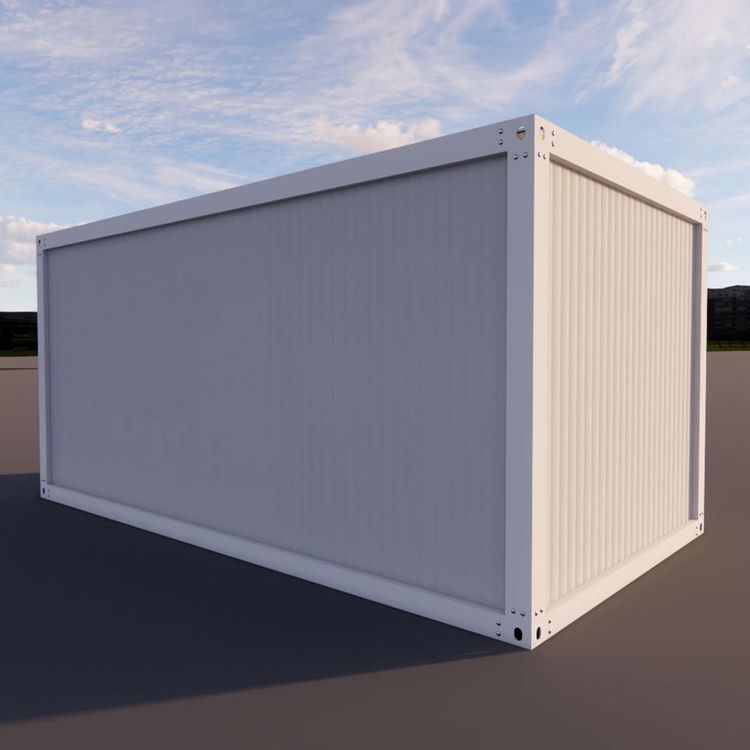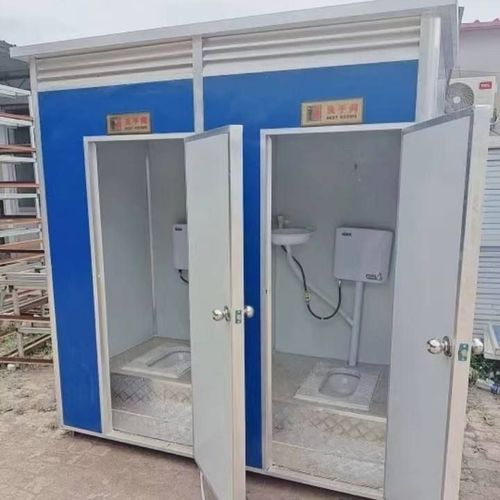
Mobile Toilet Modeling Tutorial
Currently, there is no complete tutorial specifically for mobile toilet modeling, but you can refer to the UG/NX modeling tutorial for squat-type toilet drainers and the su + D5 workflow tutorial for bathroom modeling for learning.

UG/NX Modeling Tutorial for Squat-Type Toilet Drainers
- Basic Sketch Drawing: Open the UG software and draw a sketch on a suitable plane. This is the foundation of the entire modeling process, and the accuracy of the sketch directly affects the quality of subsequent modeling. For example, first draw the general outline of the squat-type toilet drainer, including basic shapes such as the edges of the squat hole and the internal drainage area.
- Datum Plane Creation and Projection: Create a new datum plane 100mm below the sketch and project the previously drawn sketch onto this datum plane. This step is to determine the relative positions of different parts in three-dimensional space and provide a reference for subsequent three-dimensional model construction.
- Surface and Solid Construction: Continue to draw straight lines, arcs, etc. on the new datum plane. Use the through-curve mesh to create surfaces, make bounded planes, and then stitch and thicken them into solids. This series of operations can transform two-dimensional graphics into three-dimensional solids and build the basic shape of the squat-type toilet drainer.
- Detail Processing: Draw a sketch on the XY plane and extrude it for union. Draw a sketch on the extruded side to create pipes. Perform operations such as filleting, patterning, surface patching, mirroring anti-slip patterns, and extruding to open up the squat toilet. These detail processing steps can make the model more realistic and in line with the characteristics of actual products. For example, filleting can make the edges of the model smoother and avoid sharp corners; patterning can quickly replicate the same structure and improve modeling efficiency.
- Pipe and Thread Creation: Create a datum plane at the bottom of the basin, draw a circle, extrude it, and perform a subtraction operation. After filleting, extrude the pipe opening to create threads. Simply create the inlet pipe and threads, etc. This step completes the pipe and thread parts of the squat-type toilet drainer, making the model more complete.
su + D5 Workflow Tutorial for Bathroom Modeling
This series of free courses covers the entire process from 0 to 1, from CAD to su to D5, including from flat-plan schemes to spatial effects and VR walkthroughs. Although it is not specifically for mobile toilets, the ideas and methods of bathroom modeling can be used for reference. By studying this course, you can master how to transform two-dimensional flat-plan schemes into three-dimensional spatial models and how to use D5 software for rendering and effect presentation, which is of great help for the overall process and effect presentation of mobile toilet modeling.