Back to blog
Article
SU Mobile Toilet Modeling
Admin October 02, 2026
The following information and methods can be referenced for SU mobile toilet modeling:
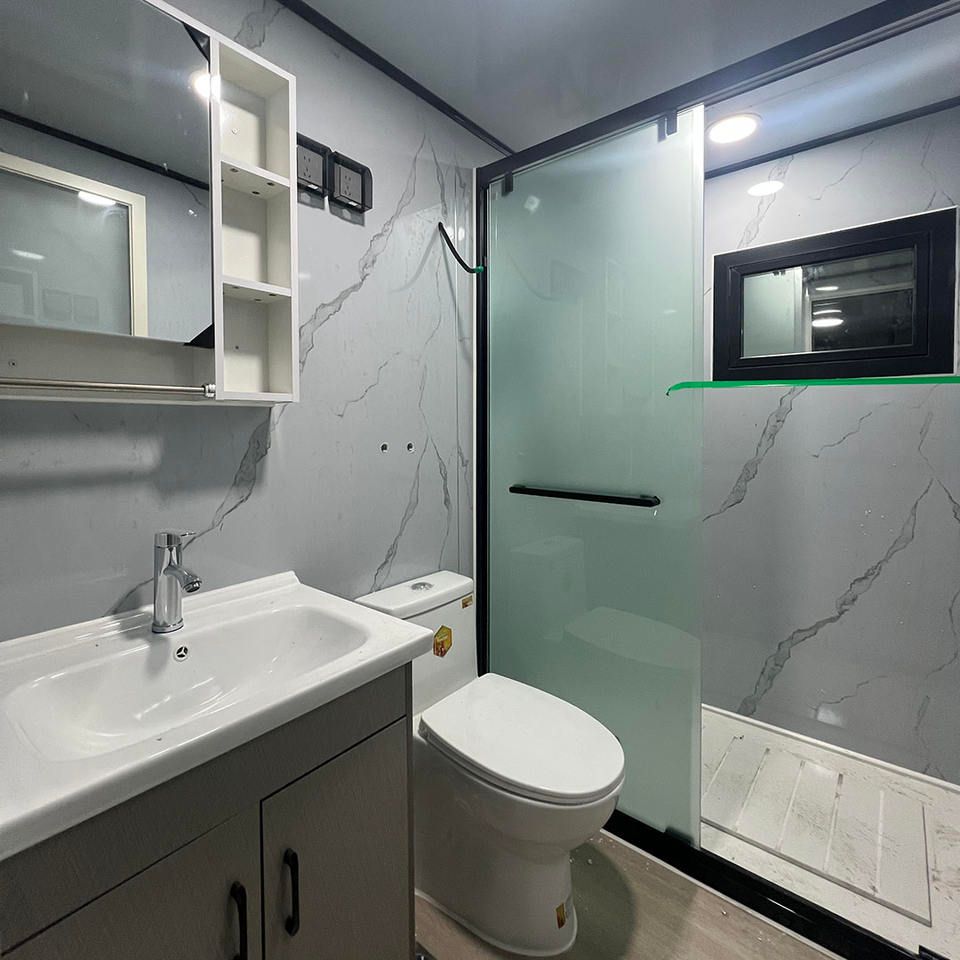
I. Reference for Existing Model Resources
- Modern Style Models: There is a SketchUp model of a modern mobile public toilet, with a file size of 0.45MB, compatible with SketchUp 8.0, featuring 2309 planes, and recommended for rendering with Enscape. This model can be directly used for modern scene design or adapted to other needs by modifying materials and dimensions.
- Diverse Style Models: The resource library includes models such as industrial-style mobile toilet exteriors, Chinese-style wooden-textured mobile toilets, and industrial-style container mobile toilets. These models cover various design styles, allowing users to select a base model for secondary development based on project requirements, such as adjusting structural proportions or replacing decorative elements.
II. Modeling Methods and Techniques
Basic Structure Construction:
- Modular Design: Divide the mobile toilet into modules such as walls, roof, doors, and windows, and model them separately before combining. For example, use the 'Push/Pull' tool to create wall thickness and the 'Follow Me' tool to create sloped or curved roof structures.
- Proportion Control: Refer to standard mobile toilet dimensions (e.g., length 2-3 meters, width 1.5-2 meters, height 2.5-3 meters) and use the 'Tape Measure' tool to ensure proportional coordination among parts and avoid distortion.
Detail Optimization:
- Materials and Textures: Select materials based on style, such as metal or glass for modern styles and wooden textures for Chinese styles. Adjust parameters like reflection and roughness in the 'Material Editor' to enhance realism.
- Hardware Addition: Use small component libraries (e.g., door handles, locks) to enrich details or adjust the size of existing components with the 'Scale' tool to fit the model.
III. Rendering and Post-Processing
- Renderer Selection: Enscape is recommended for real-time rendering due to its simplicity and ability to quickly generate high-quality renderings. Adjust lighting parameters (e.g., HDRI ambient light, sun angle) to simulate different time-of-day scenes.
- Post-Processing Adjustments: Add shadows, greenery, or human figures in Photoshop to enhance scene atmosphere. For example, add shadow textures to the model's base or adjust the overall color tone with the 'Color Balance' tool.
IV. Learning Resource Recommendations
- Beginner Tutorials: Refer to bathroom modeling tutorials in SketchUp instance modeling to master basic tool usage (e.g., 'Line', 'Offset', 'Extrude'). Although not specifically for mobile toilets, the methods are generally applicable.
- Component Library Utilization: Download official or third-party component libraries for SketchUp (e.g., 3D Warehouse) and search for keywords like 'toilet' or 'portable restroom' to obtain ready-made models, saving modeling time.
By combining existing resources, modular modeling methods, and rendering techniques, you can efficiently complete SU mobile toilet modeling and flexibly adjust styles and details according to needs.