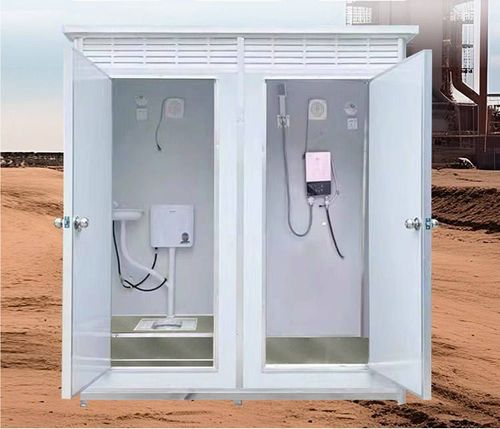
How to Turn on the Light in a Mobile Toilet
The method for turning on the light in a mobile toilet depends on its specific type. Here are the common types and their operating methods:
1. Smart Toilet Ambient Light This type of light is usually integrated into the smart toilet system and is operated via a配套 (matching) remote control. To turn it on, press and hold the 'Stop' button on the remote control for about 2-3 seconds, and the ambient light will automatically illuminate. Some models may require operation while powered on. If there is no response after pressing and holding, check the battery level of the remote control or whether the toilet's power connection is normal. This type of lighting is designed primarily to create a comfortable environment and has low brightness, making it suitable for nighttime use.
2. Ordinary Mobile Toilet The lighting control methods for ordinary mobile toilets are divided into two types:
- Vibration Switch (Sound-Activated Light): The light fixture has a built-in vibration sensor or sound-control module. It does not require manual touching and can be triggered to light up by actions such as clapping hands or stomping feet to generate vibrations or sounds. However, it should be noted that if the surrounding environment is noisy (such as construction sites or busy traffic routes), the sound-control function may fail due to continuous noise, and other methods will be needed to turn on the light.
- Switch-Type Control: In mobile toilets maintained by staff, the light switch is usually designed in the management room and is controlled uniformly by the staff. Users need to request the staff to operate the switch to turn on the light. This design is commonly found in public places such as scenic spots and event venues for centralized management.
3. Bright Bathroom Sensor Light Most bright bathroom sensor lights adopt an independent power supply design. The steps to turn them on are as follows:
- Power Switch: There is a physical switch at the bottom or side of the light fixture. Press the switch to complete power activation, and the light will illuminate. Some models need to be pressed and held for more than 3 seconds to enter the standby state and then triggered to light up by sensing.
- Remote Control or Fingerprint Unlock: High-end models may be equipped with a remote control or fingerprint recognition module. To turn on the light via remote control, aim the remote control at the light fixture and press the power button; to wake up the light via fingerprint, pre-record the fingerprint and lightly touch the recognition area to illuminate the light. This design is commonly found in family or high-end commercial mobile toilets, emphasizing convenience and privacy protection.
Operating Tips: If you cannot determine the type of light fixture, first check whether there are any identification instructions on the surface or nearby of the light fixture, or observe whether it is equipped with features such as a remote control or fingerprint area. If you still cannot turn on the light, it is recommended to contact the venue management staff for assistance to avoid damaging the equipment by forced operation.