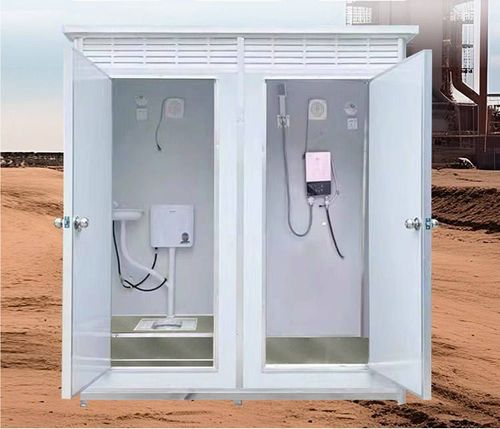
How to Turn Off the Sound of Mobile Toilet
The methods to turn off the sound of a mobile toilet (smart toilet) are as follows:

I. Basic Operations
Temporary Forced Mute
If there is a physical voice or sound on/off switch on the side of the toilet body, you can manually turn it off directly. This method is applicable to most basic models and is simple to operate without entering complex menus.Turning Off via the Control Panel
The control panel of most smart toilets is located on one side or at the back of the toilet lid. After pushing open the toilet lid to expose the panel, find the button marked with a sound icon (usually in the shape of a speaker) and press and hold it for 3-5 seconds until the prompt sound disappears or the panel indicator light goes out. Some models need to be pressed and held until the screen displays the words 'Mute Mode'.- Brand Differences: For example, the Arrow AKB1102 model requires opening the toilet lid and selecting the 'Sound' or 'Prompt Sound' option on the control panel to turn it off. Some models need to press and hold the knob or button (such as rotating it to the right for two seconds to switch the on/off state). If there are no clear options on the panel, you can try entering the 'Settings' menu to look for sub-options such as 'Induction Prompt' and 'Flush Prompt'.
II. Remote Control Operations
If the toilet is equipped with a remote control, some models have a 'Mute Button' or 'Bidet Button' set on the remote control. Press and hold this button for more than 3 seconds to turn off the sound. For example:
- The Panasonic DL-5230CWS model requires pressing and holding the 'Water-Saving' button to enter mute mode.
- Some TOTO models require pressing the 'Flush' + 'Stop' button combination simultaneously.
III. System Reset and Hardware Adjustments
System Reset
- Remote Control Mute Reset: Press and hold the 'Mute Button' on the remote control for 3 seconds. Some models need to press the 'Power Button' simultaneously.
- Body Volume Adjustment: Find the volume cycle buttons ('+' and '-' symbols) on the side of the toilet and press them quickly until the screen displays 'MUTE' or the buzzer stops making sounds.
- Power-Off Restart: Unplug the power cord and wait for 1-5 minutes. After plugging it back in, the system will restore to the factory settings (which will clear custom settings). Some models need to press and hold the relevant buttons for 5 seconds after the startup screen flashes and hear a prompt sound to complete the mute setting.
Hardware Fault Troubleshooting
- High Water Level in the Water Tank: When the anti-overflow prompt is triggered, adjust the position of the water inlet valve or the float ball to lower the water level to the standard line.
- Valves Not Fully Closed: Check whether the water inlet valve and the drain valve are well-sealed. If there is water leakage or looseness, tighten or replace the valves.
- Sensor Contamination: Wipe the sensor (usually located under or on the side of the toilet seat) with a soft cloth to ensure it is clean and dry and avoid false triggering.
IV. Advanced Settings and After-Sales Service
APP Settings
Brands such as Xiaomi can enter the device page through the corresponding APP to turn off the 'Voice Auto Wake-up' function and lower the sound pickup sensitivity to reduce false recognition.Firmware Upgrade
Update the toilet firmware on the device details page to fix voice recognition bugs (mainly for voice-related sound problems).Contact After-Sales Service
If the sound is a forced reminder function (such as a flush completion prompt or a fault alarm) or still exists after adjusting the settings, it may be a system preset safety mechanism. It is recommended to contact the brand's official after-sales service, provide the model and fault description, and apply for on-site maintenance or remote guidance. Avoid disassembling the circuit board or sensors by yourself to prevent damaging the device or losing the warranty.