Back to blog
Article
How to Close the Door of a Mobile Smart Toilet
Admin October 06, 2026
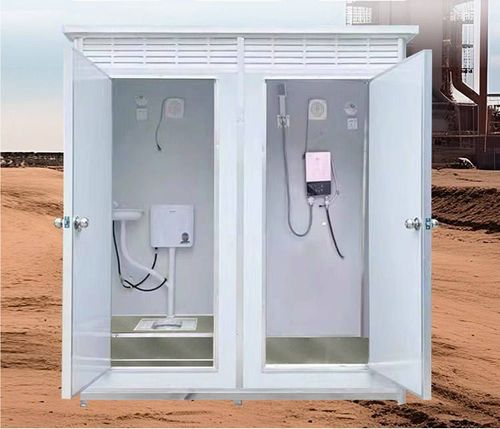
The method of closing the door of a mobile smart toilet depends on its specific type and function, mainly divided into two categories: door body closure and smart toilet lid closure, as detailed below:

I. Door Body Closure Methods
The door body design of mobile smart toilets varies by type, with common closure methods including automatic sensing and manual operation:
- Automatic Sensing Doors
Some mobile public toilets are equipped with automatic sensing doors, which operate based on infrared or microwave sensors. When a user approaches the door, the sensor detects the human signal and triggers the door opening mechanism, causing the door to automatically open to one or both sides. After use, the door may close in two ways:
- Automatic Closure: In some designs, after the user leaves the sensing range, the door delays for a few seconds (usually 3-5 seconds) and then automatically closes without additional operation.
- Manual Confirmation Closure: Some models require the user to lightly touch the 'Close' button on the door body or wave a hand to trigger the closure signal, ensuring the door is fully closed. This design is often used in high-traffic areas to prevent accidental pinching or opening.
- Manual Sliding Doors
Another type of mobile toilet uses a traditional manual sliding door structure, requiring active user operation:
- Entry: The user must push the door inward to open it and then close it promptly after entering to avoid affecting others' use or exposing the interior environment.
- After Use: When leaving, the user must manually slide the door closed again until it is fully shut. Some designs incorporate magnetic or latch mechanisms at the door frame edges to ensure the door remains securely closed.
II. Smart Toilet Lid Closure Methods
If the mobile smart toilet is equipped with a smart toilet, its automatic lid-opening function can be closed using a remote control, with the following steps:
- Long-Press the 'Close Lid' Button: Some remote control models have a dedicated 'Close Lid' button. Long-pressing it for 2-3 seconds triggers the lid to close.
- Combination Button Operation: Some models require simultaneous pressing of the 'Stop' button and the 'Close Lid' button (or 'Mode' button), with the specific combination varying by brand. Refer to the product manual for details.
- Power Reset to Default: If the remote control fails, try turning off the toilet's power and then restarting it. Some models will revert to manual lid operation mode, requiring the user to manually press the lid closed.
Precautions:
- When using an automatic sensing door, avoid lingering near the door to prevent sensor misjudgment and repeated door opening and closing.
- After closing a manual sliding door, lightly push to confirm it is locked to prevent odors or safety hazards due to looseness.
- The smart toilet lid closure function may vary by model in terms of operation. It is advisable to read the manual or consult management staff before first use.
Related